
Equatio is a program that allows students to speak or draw math equations in order to translate them to a digital format.
1.
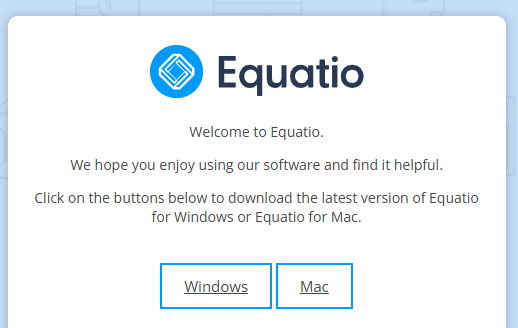
Navigate to the Getting Started with Equatio external webpage. Select the link in "click here to download the installer" to navigate to the downloads for Windows/Mac.
Note: Step-by-step installation instructions for the Google Chrome extension can be found on this external webpage: Getting Started with Equatio (Google Chrome).
2.
Select the appropriate platform (Windows or Mac) you wish to download Equatio for.
3.
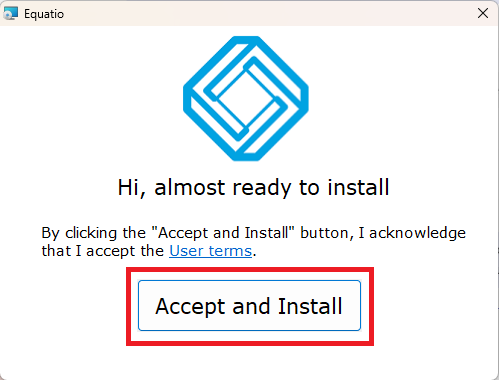
Select and run Equatio from your Downloads folder. A window should pop up prompting you to Accept and Install. Select the button to continue installation. This should create an Equatio icon on your desktop.
Note: You may need admin permissions if your device belongs to an organization.
4.
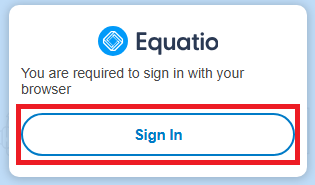
Select and run Equatio from your desktop. A window should pop up prompting you to sign in with your browser. Select the button to open the required webpage.
5.
A webpage will open prompting you to sign in with one of several services. Select "Sign in with Microsoft," then enter your mc3.edu login credentials. Once successful, you will be prompted to close the webpage.

6.
The Equatio toolbar should now be visible at the bottom of your screen.

If you need help installing Equatio, please contact IT Support Services for assistance.